


• About Us
  • Privacy Policy
  • Terms of Use
  • Breaking News
  • Explainers
  • Listen Live
Thursday, July 16, 2026
Citinewsroom - Comprehensive News in Ghana
Advertisement
  • Home
  • News
    • Regional News
      • Ahafo Region
      • Ashanti Region
      • Bono East Region
      • Bono Region
      • Central Region
      • Eastern Region
      • Greater Accra Region
      • Northern Region
      • North East Region
      • Oti Region
      • Savanna Region
      • Upper East Region
      • Upper West Region
      • Volta Region
      • Western Region
      • Western North Region
  • Sports
    • World Cup
  • Politics
  • Business
  • Entertainment
  • Articles
  • Explainers
  • Editorials
No Result
View All Result
Citinewsroom - Comprehensive News in Ghana
  • Home
  • News
    • Regional News
      • Ahafo Region
      • Ashanti Region
      • Bono East Region
      • Bono Region
      • Central Region
      • Eastern Region
      • Greater Accra Region
      • Northern Region
      • North East Region
      • Oti Region
      • Savanna Region
      • Upper East Region
      • Upper West Region
      • Volta Region
      • Western Region
      • Western North Region
  • Sports
    • World Cup
  • Politics
  • Business
  • Entertainment
  • Articles
  • Explainers
  • Editorials
No Result
View All Result
Citinewsroom - Comprehensive News in Ghana
No Result
View All Result

Five security settings in iOS 12 you should change right now

Delali Adogla-BessabyDelali Adogla-Bessa
September 23, 2018
Reading Time: 3 mins read
ShareShareShareShare

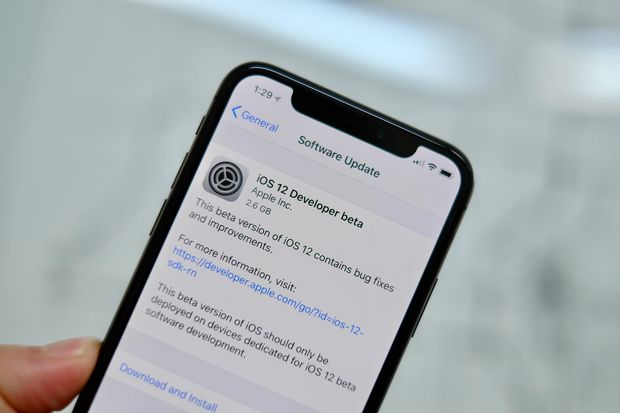
iOS 12, Apple’s  latest mobile software for iPhone and iPad, is finally out. The new software packs in a bunch of new security and privacy features you’ve probably already heard about.

Here’s what you need to do to take advantage of the new settings and lock down your device.

1. Turn on USB Restricted Mode to make hacking more difficult
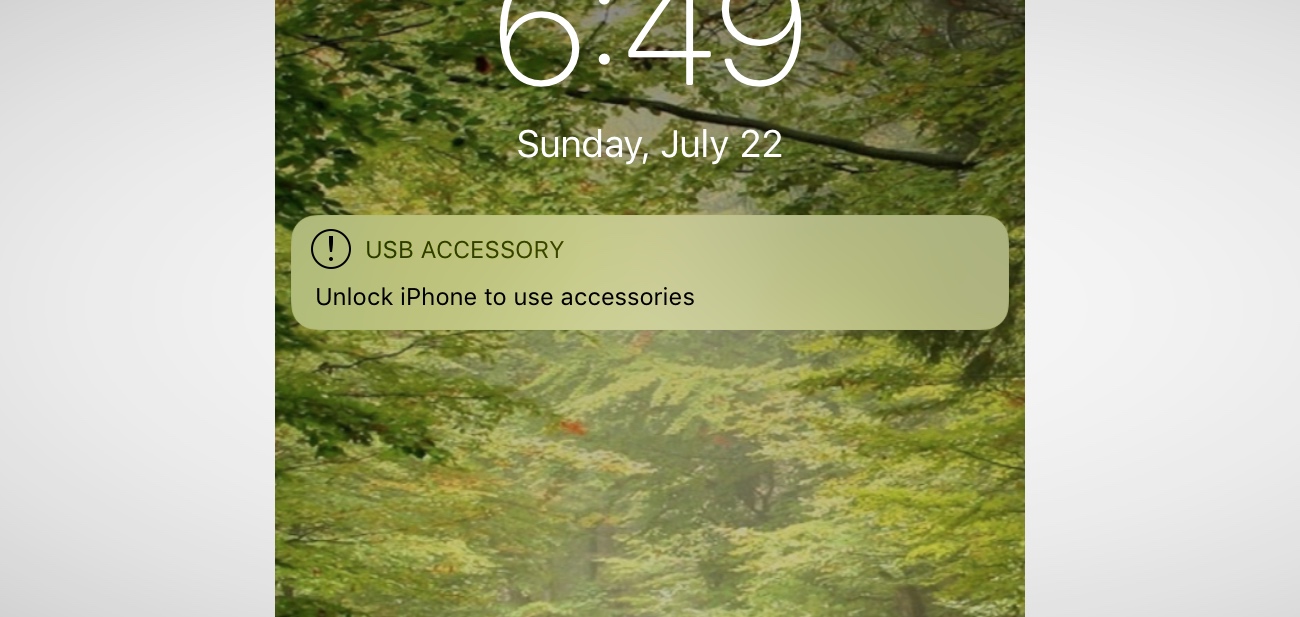
This difficult-to-find new feature prevents any accessories from connecting to your device — like USB cables and headphones — when your iPhone or iPad has been locked for more than an hour. That prevents police and hackers alike from using tools to bypass your lock screen passcode and get your data.

Go to Settings > Touch ID & Passcode and type in your passcode. Then, scroll down and ensure that USB Accessories are not permitted on the lock screen, so make sure the setting is Off. (On an iPhone X, check your Face ID settings instead.)

2. Make sure automatic iOS updates are turned on
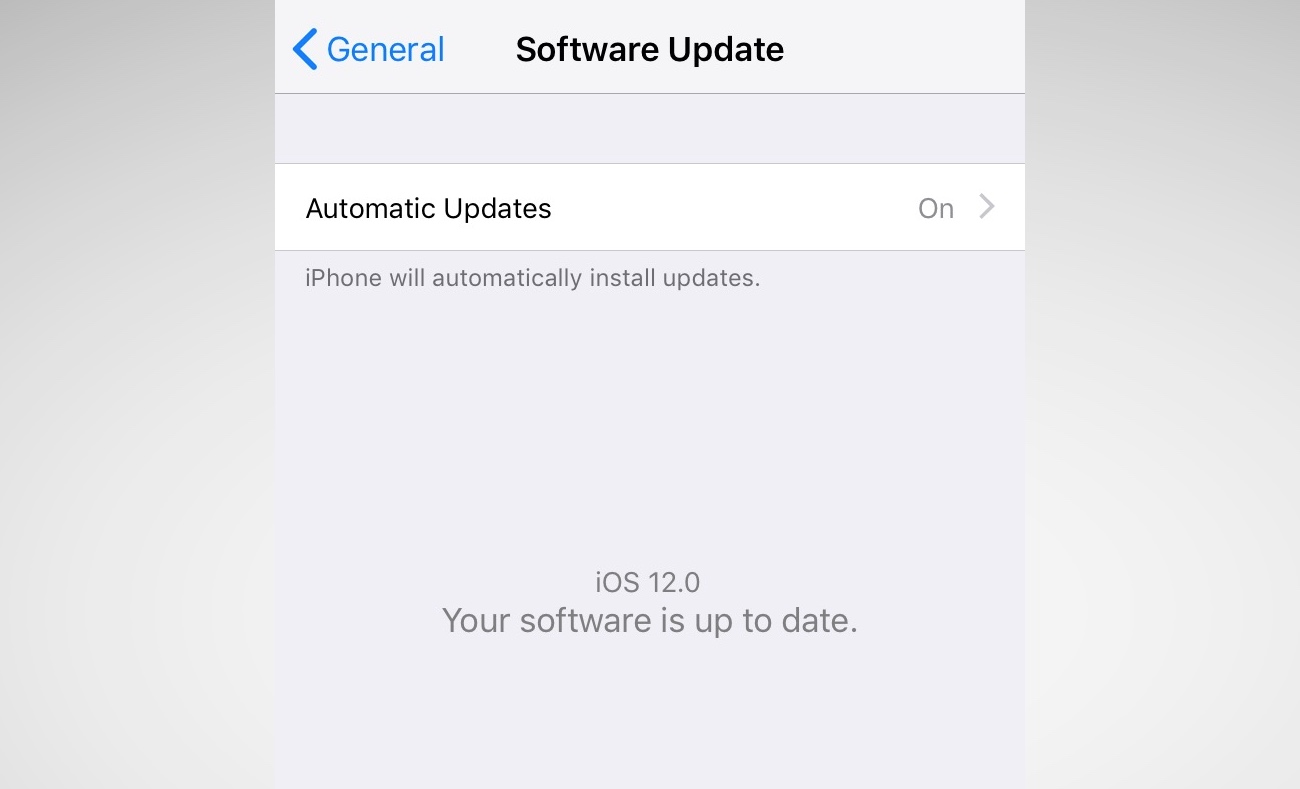
Every time your iPhone or iPad updates, it comes with a slew of security patches to prevent crashes or data theft. Yet, how often do you update your phone? Most don’t bother unless it’s a major update. Now, iOS 12 will update your device behind the scenes, saving you downtime. Just make sure you switch it on.

Go to Settings > General > Software Update and turn on automatic updates.

3. Set a stronger device passcode
iOS has gotten better in recent years with passcodes. For years, it was a four-digit code by default, and now it’s six-digits. That makes it far more difficult to run through every combination — known as brute-forcing.

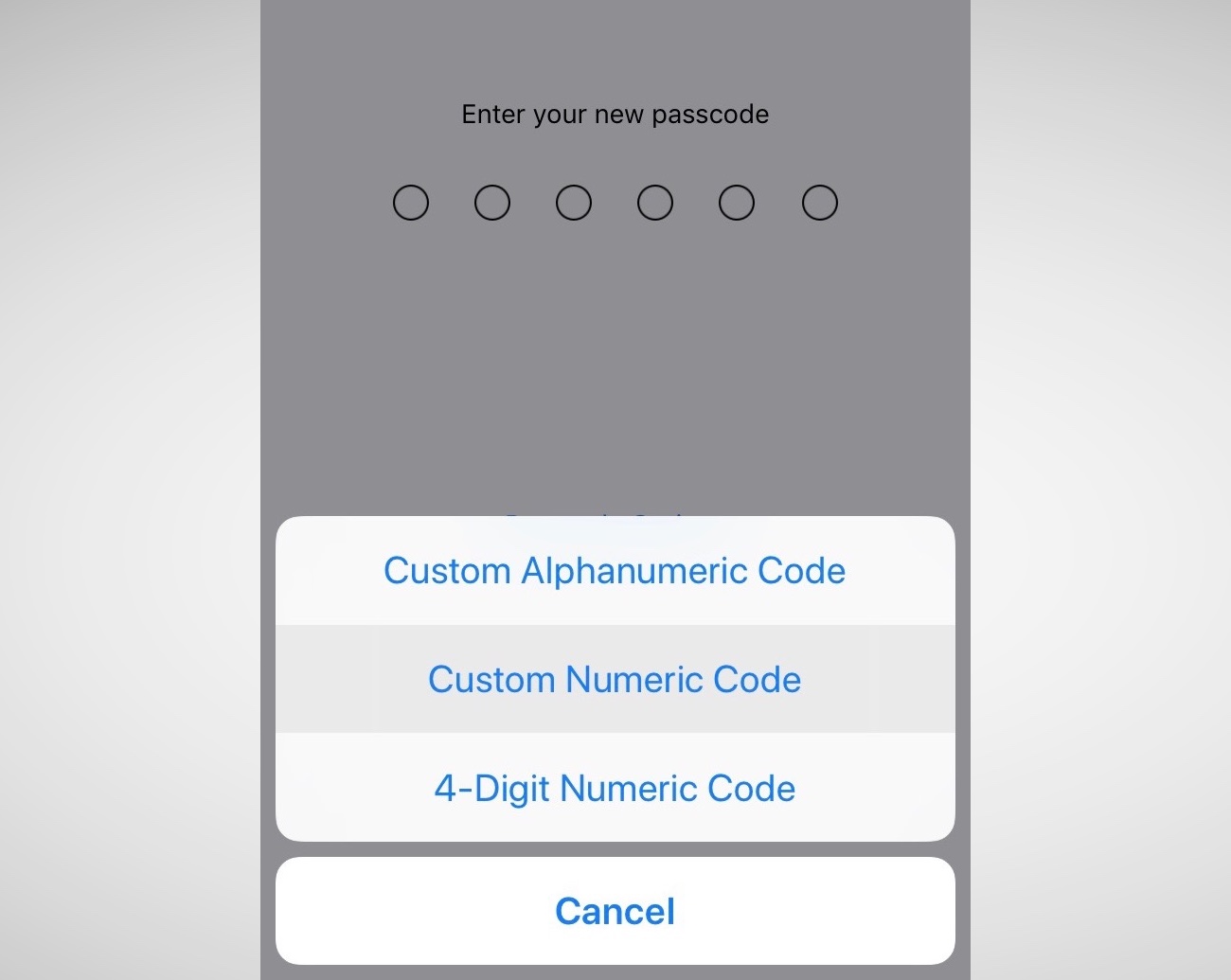
But did you know that you can set a number-only code of any length? Eight-digits, twelve — even more — and it keeps the number keypad on the lock screen so you don’t have to fiddle around with the keyboard.

Go to Settings > Touch ID & Passcode and enter your passcode. Then, go to Change password and, from the options, set a Custom Numeric Code.

4. Now, switch on two-factor authentication
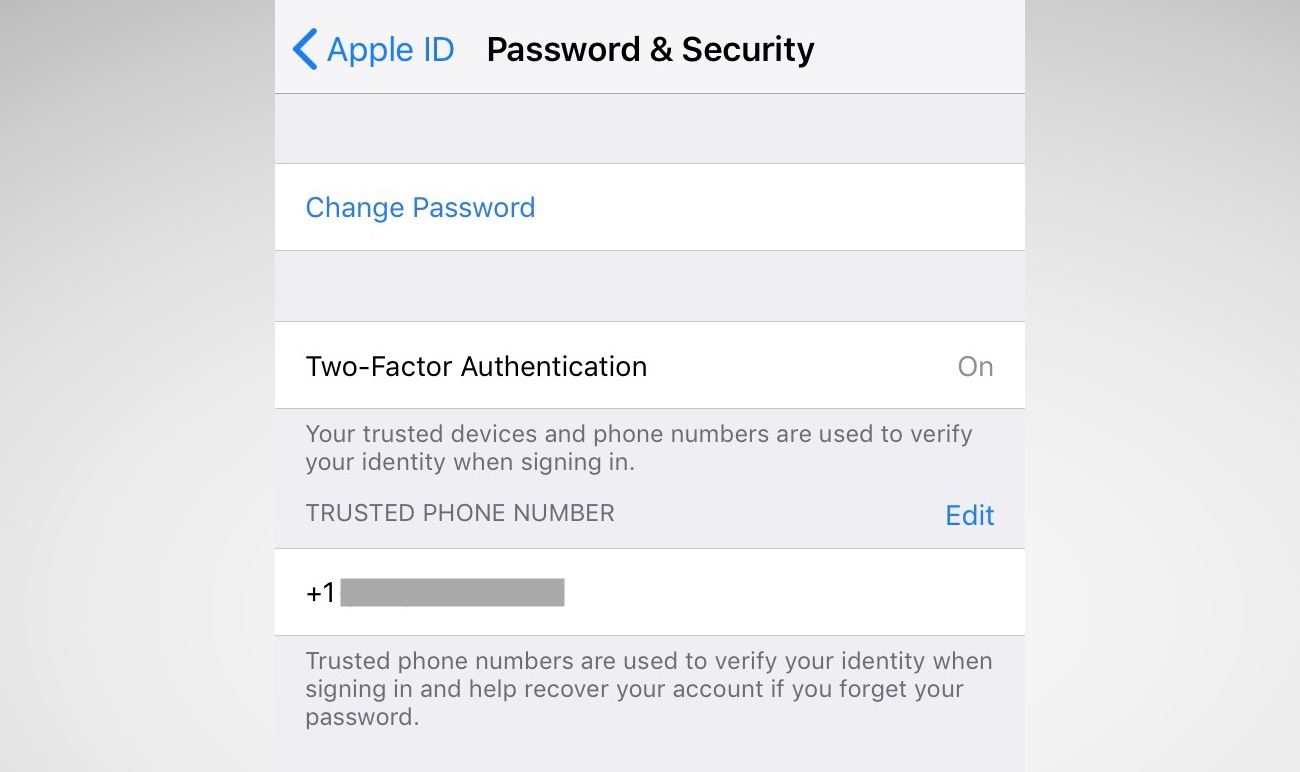
Two-factor is one of the best ways to keep your account safe. If someone steals your password, they still need your phone to break into your account. For years, two-factor has been cumbersome and annoying. Now, iOS 12 has a new feature that auto-fills the code, so it takes the frustration step out of the equation — so you have no excuse.

You may be asked to switch on two-factor when you set up your phone. You can also go to Settings and tap your name, then go to Password & Security. Just tap Turn on Two-Factor Authentication and follow the prompts.

5. While you’re here… change your reused passwords
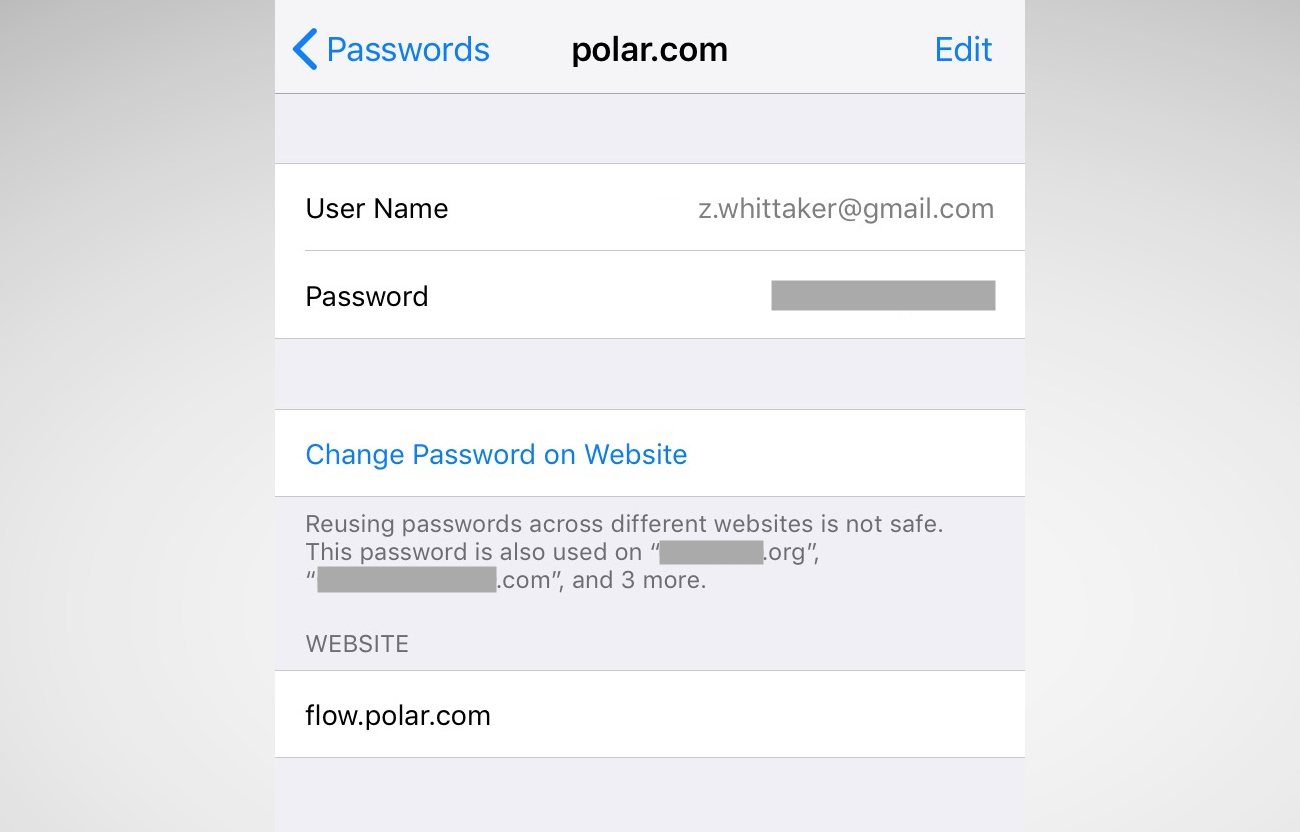
iOS 12’s password manager has a new feature: password auditing. If it finds you’ve used the same password on multiple sites, it will warn you and advise you to change those passwords. It prevents password reuse attacks (known as “credential stuffing“) that hackers use to break into multiple sites and services using the same username and password.

Go to Settings > Passwords & Accounts > Website & App Passwords and enter your passcode. You’ll see a small warning symbol next to each account that recognizes a reused password. One tap of the Change Password on Website button and you’re done.

–

Source: TechCrunch

Tags: AppleiOS 12
ShareTweetSendSend
Previous Post

‘Communications Ministry keeps disgracing Gov’t’- Franklin Cudjoe

Next Post

Zongo youth group demands report on Asawase police killings

Related Posts

Technology

Apple sues OpenAI, two former employees for trade secrets theft

July 13, 2026
British Prime Minister Keir Starmer delivers a speech at London Tech Week on government plans to use technology to boost growth, in London, Britain, June 8, 2026. REUTERS/Isabel Infantes/Pool Purchase Licensing Rights
Technology

Big tech firms must stop young people circulating nude images, says UK PM Starmer

June 8, 2026
Tim Cook in 2024 talking about the abilities of AI in Apple products.
Technology

Apple to pay $250m to US iPhone buyers over AI features lawsuit

May 6, 2026
Featured

Apple names new chief executive to replace Tim Cook

April 21, 2026
Technology

Apple cuts China App Store commission fees after gov’t pressure

March 13, 2026
Technology

Apple to prioritize premium iPhone launches in 2026 amid memory crunch, Nikkei Asia reports

January 30, 2026
Next Post

Zongo youth group demands report on Asawase police killings

ADVERTISEMENT
Citinewsroom - Comprehensive News in Ghana

CitiNewsroom.com is Ghana's leading news website that delivers high quality innovative, alternative news that challenges the status quo.

Archives

Download App

Download

Download

  • About Us
  • Privacy Policy
  • Terms of Use
  • Breaking News
  • Explainers
  • Listen Live

© 2024 All Rights Reserved Citi Newsroom.

No Result
View All Result
  • Home
  • News
    • Regional News
      • Ahafo Region
      • Ashanti Region
      • Bono East Region
      • Bono Region
      • Central Region
      • Eastern Region
      • Greater Accra Region
      • Northern Region
      • North East Region
      • Oti Region
      • Savanna Region
      • Upper East Region
      • Upper West Region
      • Volta Region
      • Western Region
      • Western North Region
  • Sports
    • World Cup
  • Politics
  • Business
  • Entertainment
  • Articles
  • Explainers
  • Editorials

© 2024 All Rights Reserved Citi Newsroom.